Posts
-
Security Engineering, by Ross Anderson
“Security Engineering: A Guide to Building Dependable Distributed Systems”, by Ross Anderson, is one of the most engaging technical books I’ve seen, and I’ve taken to reading it on my commute.
It’s highly readable, unlike most textbooks, and provides an accessible view into the many areas of security. The author has made the full book freely available online, so I highly recommend checking it out.
-
Checking in on the "Let's Use Linux" experiment

In March I started looking at how much of my work I could do on Linux, using Debian on a dual-boot machine alongside Windows 10.
It’s gone fairly well, and something that speaks to that is that a little while ago I found that I couldn’t remember my Windows password. I really thought I had it on the fifth try, but that was just the loading screen taking a bit longer. I got it the sixth time.
-
Advances in computer vision, and chasing the long tail
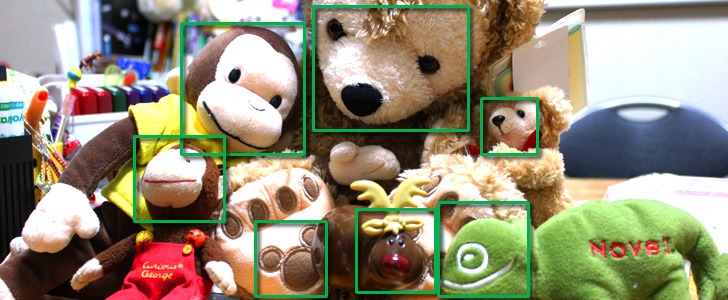
Face Recognition Software Recognizes Animals Now Too - Terry Kimura
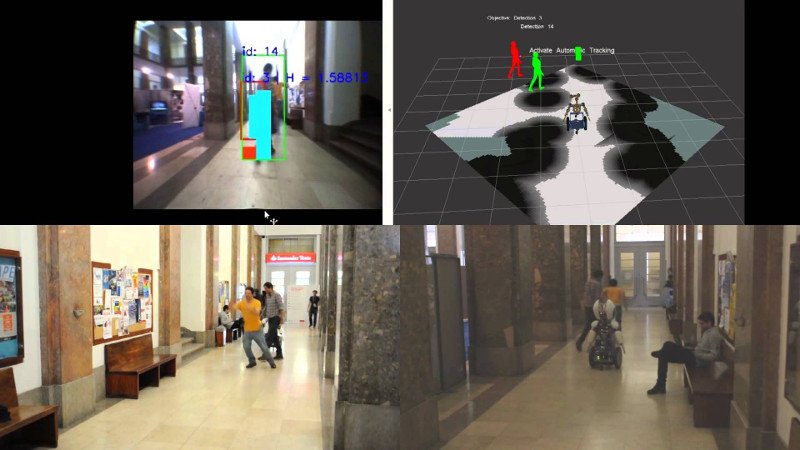
Following a Person - Image Detection, Color Association and Kalman Filters - Vislab
Note
This text was produced for a seminar-based class in which students were encouraged to attend a series of guest lectures and submit a short paper on one of them.
This post is in response to “Understanding visual appearances in the long tail” by Deva Ramanan, Associate Professor at the Robotics Institute at Carnegie Mellon University.
-
(Epson) Configuring printers on Linux
Configuring printers on Linux computers often takes a bit of trial and error, especially since many printer companies don’t tend to update drivers for Linux distributions as often as with Windows and Mac OS.
On the plus side, if someone finds a solution for any Debian-derived distribution, it often works for Ubuntu and its derivations, and vice versa.
I’ve been trying to configure an Epson Workforce 3640 printer for a netbook running the LXLE Linux distribution, which is closely derived from Lubuntu and Ubuntu.
-
Reviving a dead laptop with Linux
My Acer Aspire One has been sitting idle for almost three years now, unable to boot up to Windows 7 32bit. Hard drive errors prevented operating systems loaded from USB from accessing files on disk.
I decided to give it another go to see if the netbook could be reincarnated under another operating system.
I’m happy to say that the process was successful, and reformatting restored the hard drive to a functioning state!
-
Setting up Sublime Text Editor for Ruby on Rails
In this post I’ll go over how I set up Sublime Text Editor for Ruby on Rails development.
Sublime Text Editor is a popular proprietary text editor that runs on Windows, Linux and Mac OS. It’s highly customizeable, with many user-developed plugins that tweak various parts of the interface.
-
Concurrency is beautiful with the Go programming language
Golang is a general programming language designed specifically for scalable and distributed systems. One of its largest advantages is that concurrent programming is constructed as a natural part of the language, so it is able to present a far simpler approach than many other languages.
-
(Linux) Setting up Ruby on Rails using RVM
In this post I’ll go over how to install Ruby on Rails on Linux using Ruby Version Manager, or RVM.
RVM simplifies maintaining one or more independent Ruby environments, which can be helpful for development and testing. You can run builds on multiple gemsets this way, and if you so choose you can set up self-contained environments for each project.
subscribe via RSS